AI World Building for Content Creators: A More Consistent Approach to AI Content
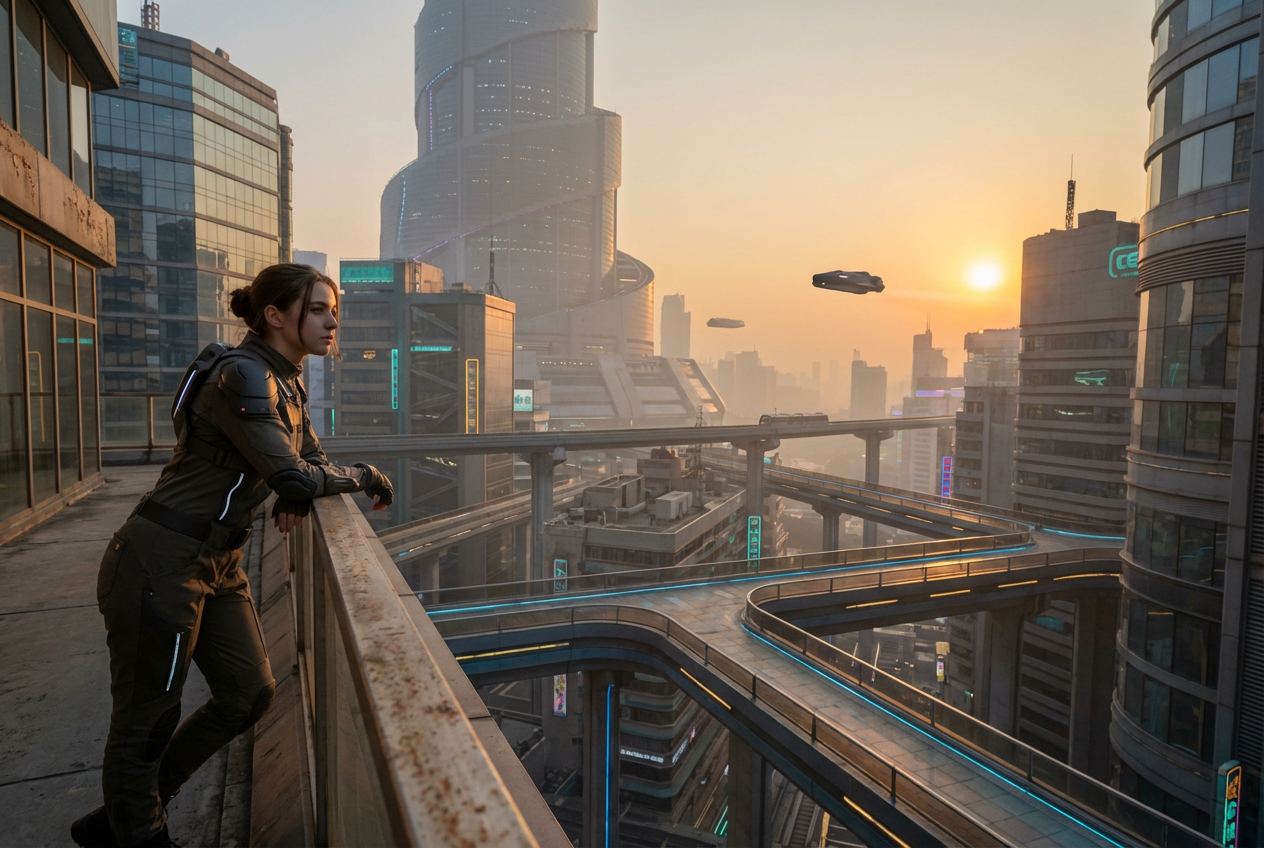
Every AI content creator knows the frustration of not getting visually consistent content. Suppose you post a video set in a cyberpunk alleyway, and your audience loves it. Now you want to make a sequel, but when you return to your image or video generator, the exact alley won't be generated again. The neon signs will hang in different places, the wet pavement will be reflecting unfamiliar lights, and thus your series dies before episode two, simply because the set no longer exists.
This is the problem that OpenArt Worlds is solving. Instead of generating one-off backdrops that evaporate after one use, you can create persistent 3D environments that wait for you like actual locations. That cyberpunk alley becomes a real place you can revisit whenever inspiration strikes, allowing you to turn left down that side street you noticed before, shoot from the rooftop you wondered about, or add a new character standing by the vending machine that caught your eye. The world remembers. You build once, and the location serves your content indefinitely.
What You Actually Get with an AI World
When you build a world instead of generating a single image, you're creating a space with genuine depth and spatial logic. Upload a photo of a cozy coffee shop interior, and from that simple image a 3D world is formed.
The entire environment is navigable and explorable. You can walk behind the counter, move the camera up to the window seat, and capture the scene from any angle you can think of. The location remains constant while your creative options multiply.
This matters because audiences notice consistency. When your character returns to "their apartment" in video after video and the layout actually matches — the same blue couch in the same position, the plant still on the windowsill, afternoon light hitting the kitchen table at the same angle — trust builds incrementally.
Real Workflows for Real Creators
Consider how a true crime YouTuber might use this. Traditionally, they generate a new crime scene image for every case, each one slightly different in mood and architecture, forcing the audience to reorient constantly. With AI world building, they construct one persistent investigation room: a cluttered desk buried in case files, a corkboard with photos connected by red string, rain visible through venetian blinds that cast striped shadows across the floor. Each episode returns to this same space.
The creator moves the camera closer to the board for dramatic reveals, shoots wide to establish the scene's geography, then cuts tight on specific evidence photos. They can also drop in their own uploaded assets — a detective character they designed, a murder weapon prop, a specific photo of a real victim that needs to appear on the board. The room becomes as familiar to returning viewers as any character in the series.
Or picture a TikTok creator making recurring sketches about dysfunctional roommates. They build one apartment world — a cramped living room with a sagging orange couch, a kitchen visible through a pass-through window, a hallway leading to bedrooms that remain off-camera but imply a larger space beyond what we see.
Every sketch uses this same set, and the audience learns the geography over time. The creator places their uploaded characters directly into the scene — their custom-designed roommate avatars, a pizza box prop they created, a houseplant that becomes a running gag. Jokes land harder because viewers understand the spatial relationships. "He's in the kitchen again" means something specific and visual. The comedy breathes easier in a space that feels lived-in and real, populated with elements the creator actually owns.
It's a Retention Engine
Social platforms reward consistency in ways that directly impact your growth. When viewers binge your content and recognize returning locations, watch time extends naturally. They click the next video partly to revisit that familiar space, to see what happens in that apartment or alley they now feel connected to. This is why television productions invest heavily in standing sets, and now solo creators can access the same psychological advantage without construction crews, rental fees, or location permits.
Your worlds accumulate value the way any good investment does. That apartment you built for one sketch series remains available six months later for a sponsored integration with a mattress brand. The cyberpunk alley hosts three different storylines across your quarterly content calendar. Each return visit requires zero setup — you open the world, position your camera exactly where you need it, capture your shot, and move on. The time you save gets reinvested in writing, community engagement, or simply producing more volume.
How the AI World Generator Works
Step 1: Define Your World
Start by uploading a reference image or entering a descriptive prompt. This establishes the foundation of your environment — its visual style, mood, spatial structure, and atmosphere. Whether you are building a futuristic cityscape, a cozy interior, or an alien landscape, this input becomes the DNA of your reusable creative world.
Step 2: Build and Explore
Once your input is processed, the AI content creation platform generates a complete 3D environment. You can preview your world in panoramic 3D, move through the space, understand its layout, and begin planning your shots. This exploration phase helps you identify the strongest angles and compositions before you start capturing content.
Step 3: Capture and Produce
After your world is established, you can navigate freely and capture production-ready visuals. Adjust camera positions, frame specific shots, and generate unlimited variations from the same persistent environment. Each capture maintains perfect visual continuity with the others because they all originate from the same spatial foundation.
Some Tips to Get the Most Out of OpenArt's AI Worlds
Begin with spaces that serve multiple narrative purposes rather than overly specific single-use locations. A modern loft apartment works for lifestyle content, product showcases, interview segments, and dramatic shorts alike. An enchanted forest path suits fantasy creators, meditation channels, and outdoor gear promotions. Choose versatility and you will return to the investment repeatedly.
Import images with strong spatial cues that help the AI interpret depth accurately. Interiors with visible corners, ceiling lines, and clear architectural geometry convert more reliably than flat landscapes without structural markers. Photos with genuine depth—objects clearly positioned in foreground, midground, and background—give the AI more structural information to build upon.
During your initial exploration, capture more footage than you think you need. Walk every available path. Look up at ceilings and down at floors. These initial captures become your b-roll library for future edits, and six months later, when you desperately need an establishing shot of that rooftop you barely noticed during your first visit, you will have it ready rather than regretting your oversight.
The Long Game
Your world library becomes a competitive asset that compounds. While others scramble to match lighting across disjointed generations, you open a familiar space and capture immediately. Your output accelerates, your visual identity sharpens, and your audience recognizes your environments before they memorize your face.
FAQs
How is this different from regular AI image generation?
Standard tools provide single static images. World building gives you explorable spaces you can return to repeatedly, shooting from multiple angles and perspectives while maintaining perfect consistency. The environment persists between sessions, and that continuity compounds into recognizable visual identity.
What if I need to change something in my world?
You can modify specific elements, add new objects, or adjust lighting conditions while preserving the core spatial structure and geography. The location evolves and improves without disappearing or forcing you to start over.
Can I use these worlds for commercial projects?
Absolutely. Your worlds become assets you own and deploy across sponsored content, merchandise lines, client work, or any commercial application you pursue. They function as your private stock library of exclusive locations.
How long does it take to build a usable world?
Minutes, not hours. Upload your source image or description, allow the AI to construct the navigable space, then begin exploring immediately. Most creators capture their first production-ready footage within fifteen minutes of starting the process.


.png)